Review the property records before EOFY
Work from the same rental-property records and ownership details as your client, with access they can change or revoke.
Free for 30 days with as many clients and properties as you like. Card required, nothing charged until day 31.
Rental-property records, ready for review
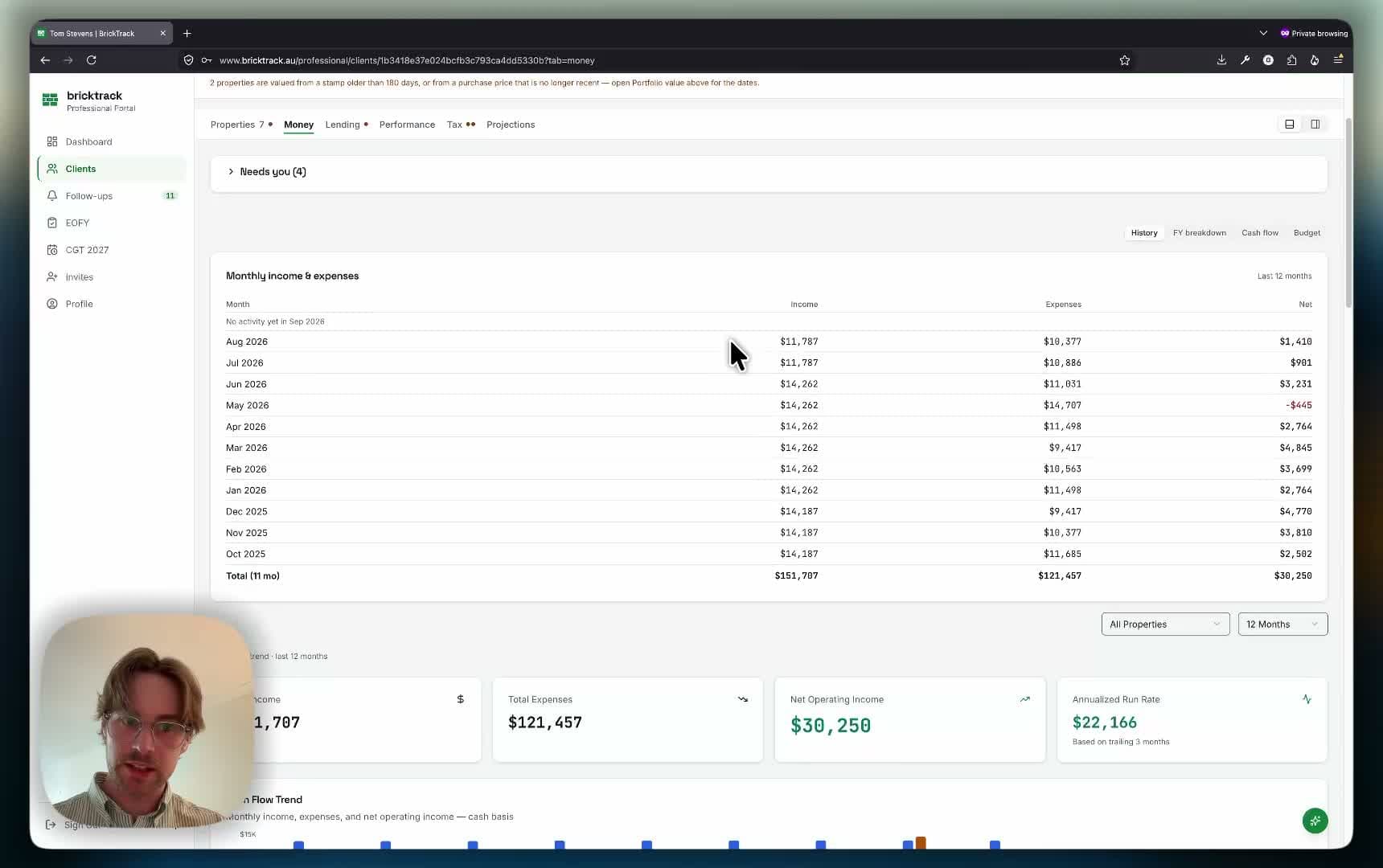
Review the property record, income and expenses, then prepare an accountant pack for the completed financial year.
Founder walkthrough · 1:22
A client record, in context
The client controls the connection
Access starts read-only. A client can approve book edits, change permissions or revoke access. BrickTrack keeps the shared property record; it does not provide tax, lending or investment advice.
- Create your professional profile and invite a client.
- The client accepts with read-only access by default.
- Review the rental-property records and ownership context.
- Prepare the completed-year pack for your own review process.
Can I try it without a sales call?
Yes. Create an account, verify your email, then choose your role and practice details. Add a card at the last step. The trial runs for 30 days with no limit on clients or properties, and billing starts on day 31 at the rates on the pricing page.
Does this replace my professional software?
No. BrickTrack gives you the client-authorised property record. Your advice, checks and professional systems remain yours.
Try the workflow on your own trial account.
Set up your professional profile, then invite a client when you're ready.
Unlimited clients and properties. Card required, nothing charged until day 31.